Let’s face it, video is everything right now. TikTok, Instagram Reels, YouTube Shorts, even presentations and ads all live or die by how good the video looks. The problem? Not everyone has the time (or patience) to learn complicated editing software. That’s where CapCut steps in, and honestly, it kind of changes the game.
CapCut isn’t just another video editor. It’s the tool that lets everyday creators, small businesses, students, and even total beginners make videos that look surprisingly professional, without needing a film degree or a powerful computer. If you’ve ever thought, “I want my videos to look cooler, but editing is scary,” CapCut was made for you.
So, What exactly is CapCut?
CapCut is a free, all-in-one video editing platform available on desktop, mobile, and web. It’s designed to be fast, intuitive, and fun to use. You can cut clips, add music, apply effects, animate text, remove backgrounds, auto-generate captions, and export high-quality videos, all in one place.
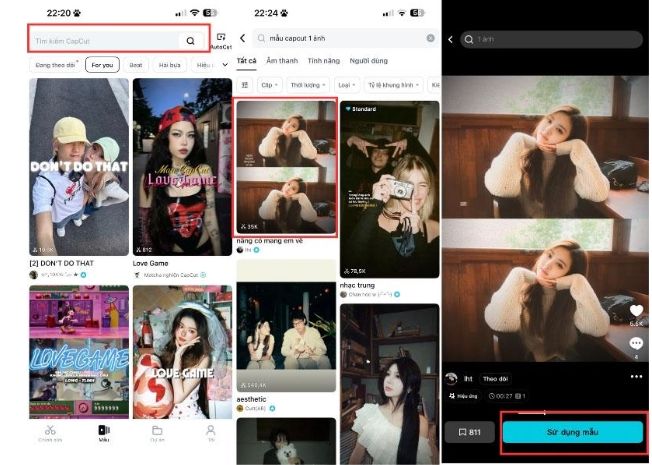
What makes CapCut stand out is how creator-friendly it is. The interface is clean, drag-and-drop simple, and packed with ready-to-use templates that instantly upgrade your content. You don’t start from scratch, you start from something that already looks good.
Why People Are Obsessed with CapCut
First: speed. You can go from raw footage to a polished video in minutes. Whether you’re editing a vlog, a product promo, or a trending Reel, CapCut removes all the friction that usually slows creators down.
Second: effects that actually slap. CapCut offers trendy transitions, filters, motion effects, sound effects, and text animations that feel made for social media. These aren’t boring, outdated presets, they’re the kind of effects you see in viral videos.
Third: music integration. CapCut makes it incredibly easy to sync your clips with music beats. Add background tracks, sound effects, or voiceovers and let the app do the heavy lifting. The result? Videos that feel smooth, energetic, and well-timed.
Built for Social Media (Like, Actually Built for It)
CapCut understands how people consume content today. Vertical videos? Easy. Square formats? No problem. Aspect ratios for TikTok, Instagram, YouTube, and ads are already built in. That means less resizing, less exporting confusion, and fewer “why does this look weird on Instagram?” moments.
And yes, CapCut works beautifully with short-form content. If you’re chasing engagement, watch time, or just trying to look cooler online, CapCut gives you the tools to do it fast.
AI Tools That Feel Like Magic
CapCut also leans heavily into AI, and in the best way. Features like:
Auto captions (huge time saver)
Background removal without green screens
Text-to-speech
Smart templates
Image-to-video tools
These features help creators focus on ideas instead of technical headaches.
Who Is CapCut For?
Honestly? Almost everyone.
Content creators & influencers
Small business owners
Students & teachers
Marketers & social media managers
Anyone who wants better videos without stress
You don’t need expensive software or advanced skills. You just need an idea, and CapCut helps you bring it to life.
CapCut makes video editing feel fun again. It’s fast, flexible, and powerful without being overwhelming. If you want to create videos that look modern, dynamic, and scroll-stopping, CapCut is the tool you should already be using.
Try CapCut for free and see how easy great editing can be.
Media Contact
Company Name: ByteDance
Email: Send Email
City: Beijing
Country: China
Website: https://www.capcut.com