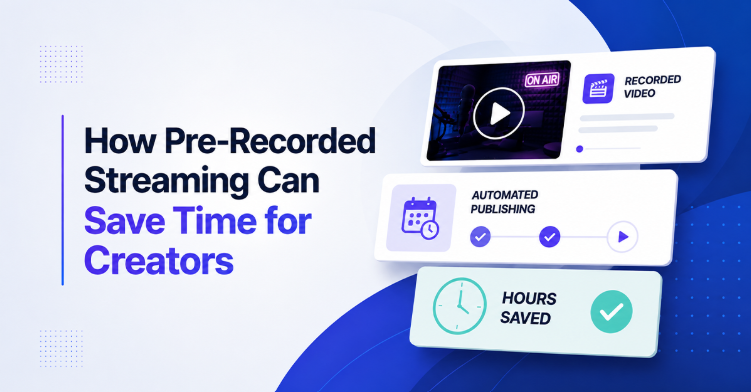
You can run a live stream without being there. Upload a finished video, pick a date and time, and it goes out with a live badge and an open chat like any other broadcast. That is pre-recorded streaming, and it is how a lot of creators hold a weekly schedule without giving up three evenings to it.
What Pre-Recorded Streaming Actually Means
Pre-recorded streaming is very simple. You upload a video you already made, and a live streaming platform like OneStream Live broadcasts it as a live stream at the time you pick. On the viewers' side, it is a live event as the viewers see a live badge, an open chat, and a real audience watching along with them.
The only difference is that you are not sitting in front of a camera when it happens. Creators use this for webinars, product launches, church services, gaming content, talk shows, and music sets, etc. The video stays polished because it was recorded, edited, and reviewed before it ever went out.
Why Pre-Recorded Streaming Saves So Much Time
Live streaming pulls a lot of moving parts together at once, and honestly, most of them are not in your hands. Your connection can drop mid-sentence. The platform on which you are streaming can glitch. Your viewers can lose signal on their end and miss the part you spent all week preparing.
Then there is the time cost nobody talks about. The setup, the sound check, the last minute panic when the mic acts up, the script you have to hold in your head with no second take, and the hour you have to block off and defend. Multiply that by three streams a week, and most of a workday is gone before you have made anything new.
Pre-recorded live streaming removes almost all of it. You batch record several videos in one afternoon, edit them together, and let the software post at exactly the selected time without any possible glitches or mishaps. Your schedule opens up while your channel keeps publishing.
The quality goes up too. Recorded content can be cut, retaken, and cleaned up, so the mistakes never reach anyone. Better videos usually mean people stick around longer.
How to Schedule a Live Stream in Advance
Setting this up is easier than most people expect. Pre-recorded video streaming software like OneStream Live lets you upload a video and pick the exact date and time it goes live, up to 60 days ahead.
The steps are short. You upload your video to your OneStream Live account, choose the platforms you want to broadcast to, then set the date and time. That's it. Automated live streaming just means the stream fires on its own, even if you are asleep or on a flight.
You can also line up several videos as a playlist and broadcast them as one continuous stream. That works very well for music, games, training series, event replays, and highlight reels, etc. A good live stream scheduling setup turns your content plan into something that runs itself.
Reach More Platforms in a Single Upload
Posting the same video to multiple platforms like YouTube, Facebook, LinkedIn, and everywhere else manually is slow work. The best live streaming software handles this with multistreaming, and OneStream Live sends one pre-recorded stream to more than 45 platforms and your own website at the same time.
Your reach grows without extra effort on your side. One unified chat window pulls comments from platforms like Facebook, YouTube, LinkedIn, Kick and Twitch into one place, so you are not jumping between tabs during a broadcast.
Keeping Your Channel Active 24/7
Some creators want a channel that never goes quiet. Looping is how they do it. In OneStream Live you pick a video or a playlist, set it to run as a nonstop broadcast, and your YouTube channel stays live around the clock.
This method is very popular for music channels, study streams, product demos, and religious broadcasts. New viewers can find you at any hour and land on something worth watching. Your older videos keep working long after you made them.
Pre-Recorded Streaming Still Feels Live
A common worry is that the audience will notice. In practice, most do not, because the stream behaves exactly like a real live stream. Chat stays open, and comments appear in real time.
You can even join that chat while your recorded video plays. That gives you the best of both worlds: real conversation without the pressure of performing on camera. Captions, logos and overlays are all supported, so the finished stream looks professional.
Is Pre-Recorded Streaming Right for Every Creator?
Not always, and it helps to be honest about that. Live streaming types like breaking news, live sales, live Q&A sessions, and auctions still belong on a true live stream, because the moment itself is the point. Anything reactive is better handled in real time.
Everything else is fair game. Tutorials, interviews, podcasts, sermons, webinars, and highlight shows lose nothing when they are recorded first. Many creators mix both approaches and save real live streams for the moments that call for them.
Batch Recording is the Real Time Saver
Pick one day, set the camera up once, and shoot four or five videos back to back while the lighting is right and your energy is still there.
Then edit them all in one sitting, when your head is already in editing mode. Switching between filming, editing, and going live costs more time than any of those tasks on their own. Do each one once and you get your afternoon back.
Scheduling is the easy part after that. Load the videos, pick your dates, and next month is handled. Your Tuesday no longer belongs to a stream that has to start at 7pm sharp.
The Time You Get Back
The hours were going to set up, sound checks, and sitting there waiting to go live. Pre-recorded streaming hands them back and your channel keeps publishing on schedule. Record a few videos this week, load them into OneStream Live, and see what next month looks like when it is already handled.
Frequently Asked Questions
How does pre-recorded streaming save time for creators?
Pre-recorded streaming lets creators prepare content in advance, automate broadcasts, and avoid spending hours going live every time.
Can pre-recorded streams be scheduled automatically?
Yes. Creators can schedule pre-recorded videos to go live at specific times without manually starting each broadcast.
Is pre-recorded streaming better than going live every time?
Pre-recorded streaming helps creators stay consistent while saving time, but live streaming is still valuable for real-time audience interaction.
How can creators use pre-recorded streaming for 24/7 content?
By looping a video or playlist as a nonstop broadcast. OneStream Live supports this on YouTube, so the channel stays live around the clock and viewers always arrive to something playing.
What are the benefits of pre-recorded streaming for content creators?
Creators can edit and review content before it airs, so mistakes never reach the audience. It also makes a regular publishing schedule easier to keep, since streams can be set up ahead of time instead of performed live.